

On this page
Dropping a database in phpMyAdmin is straightforward once you know where the option lives. The button isn’t exactly hidden, but it’s in two different places depending on which screen you start from, which is why people usually think the feature is missing on their first try.
Before you delete anything
Dropping a database is permanent. There’s no “undo” and no recycle bin. Before you click the button:
- Take a full backup. In phpMyAdmin, select the database, go to the Export tab, and save the
.sqlfile somewhere safe. - Make sure you’ve picked the right database. Names can be similar, and production and local copies sometimes share a naming pattern.
- If this is a live site, make sure nothing is still pointing at it.
Delete a database from phpMyAdmin (XAMPP or WAMP)
If you’re running XAMPP or WAMP, start Apache and MySQL from the control panel, then open http://localhost/phpmyadmin in your browser. The dashboard looks like this:
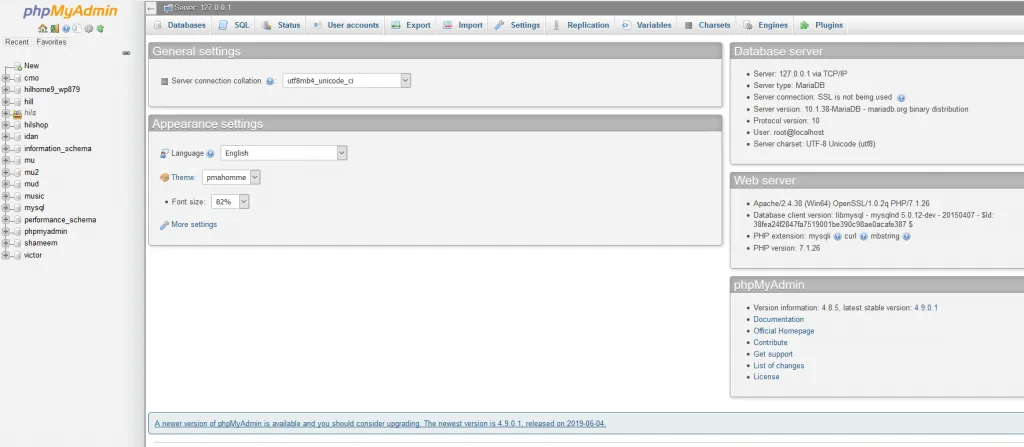
Click Databases in the top menu to see the list of every database on the server.
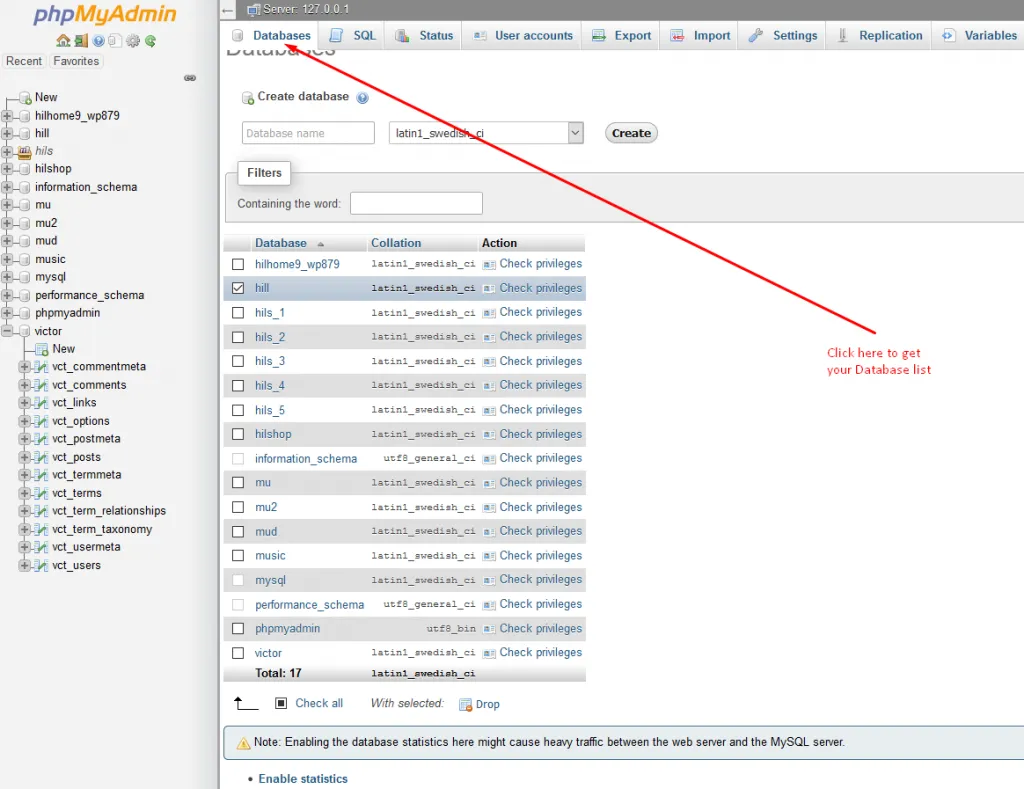
From here, there are two ways to drop one.
Option 1: from the Databases list
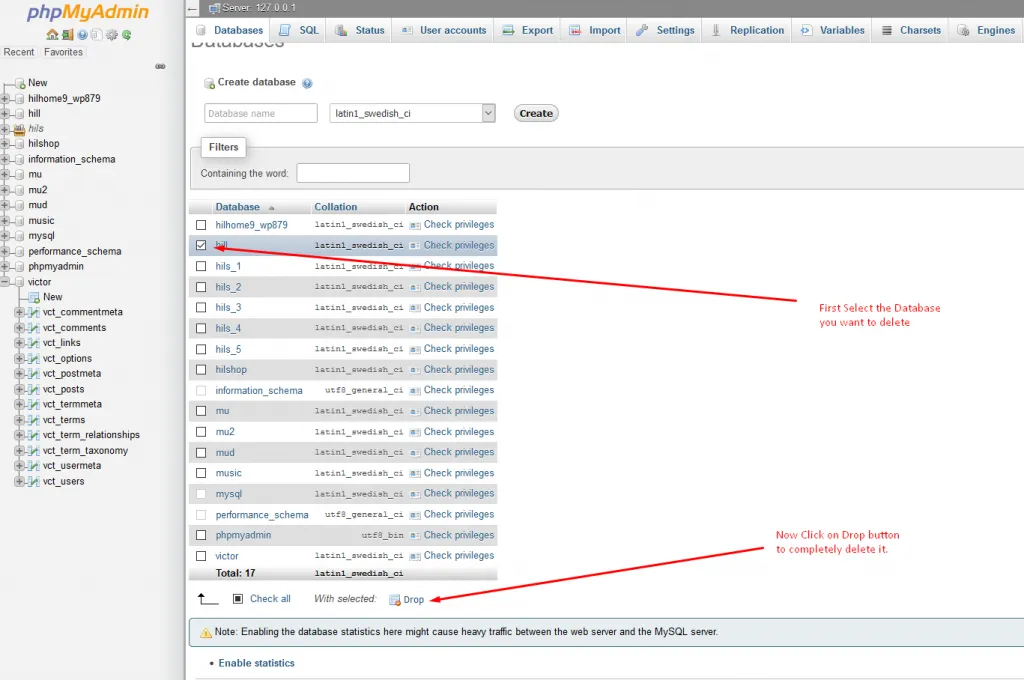
Tick the checkbox next to the database (or databases, you can select more than one), then scroll down and click Drop. Confirm the prompt and it’s gone.
Option 2: from the Operations tab
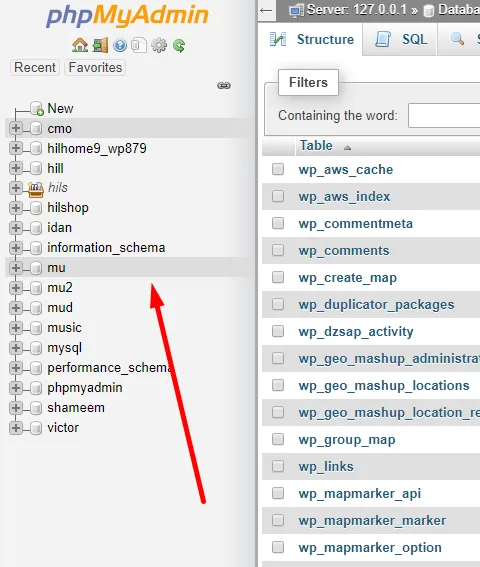
Click the database name in the left sidebar to open it. A new row of tabs appears at the top. Click Operations, scroll down, and you’ll see Drop the database (DROP) in red. Click it, confirm, and the database is removed.
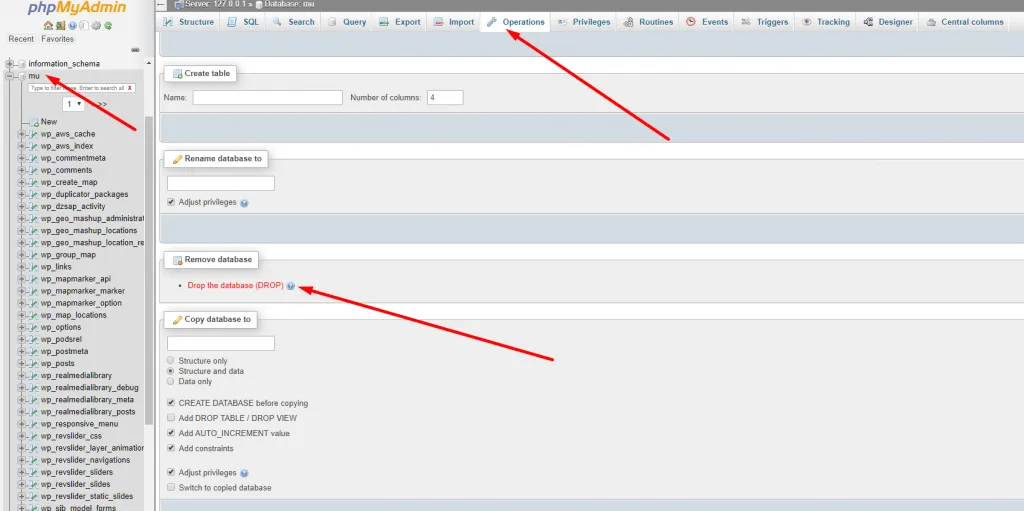
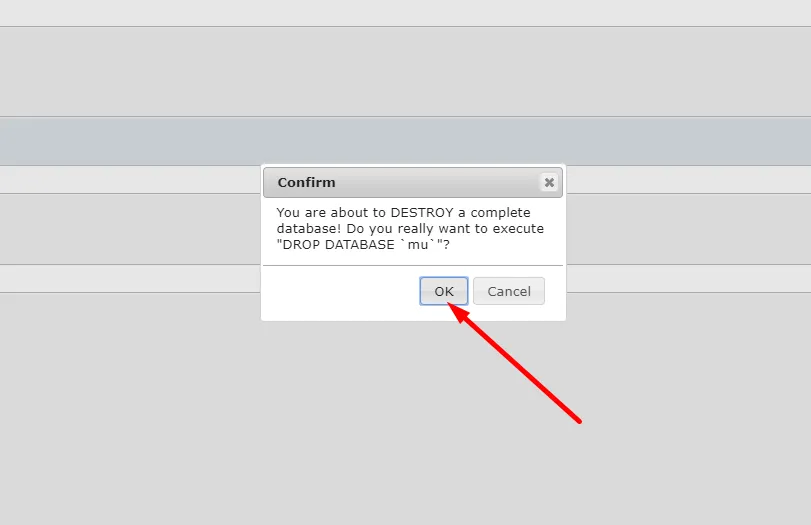
Both routes do exactly the same thing. Use whichever one matches where you already are in the UI.
Delete a single table from a database
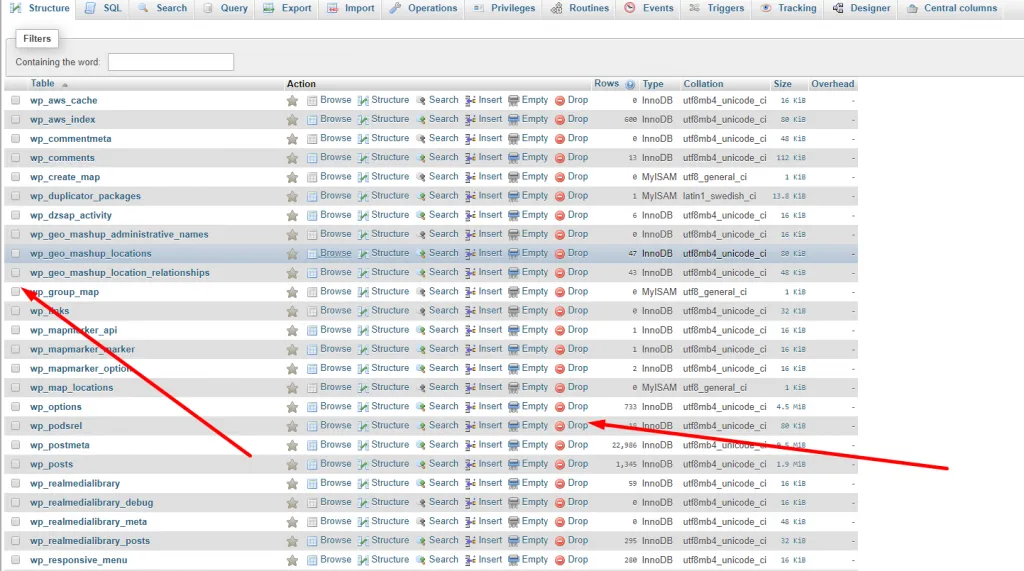
Sometimes you don’t want to drop the whole database, just one table. Open the database from the left sidebar and you’ll see every table listed on the right.
To drop one table, click the red Drop button next to it.
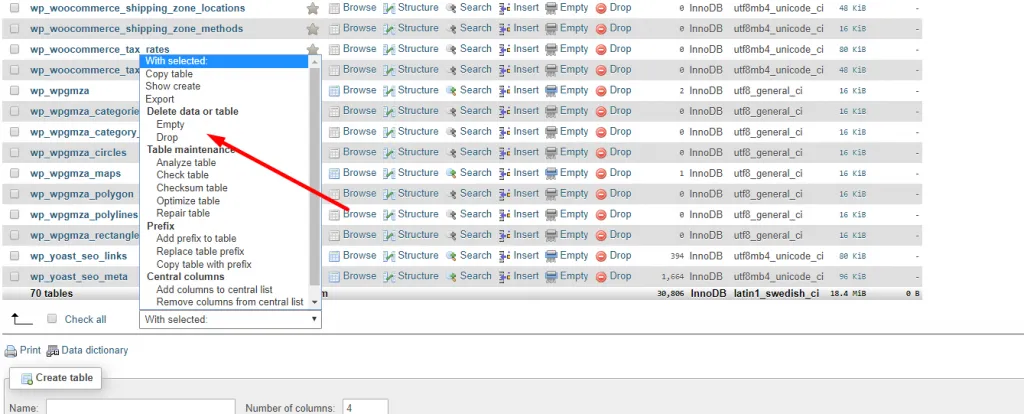
To drop several at once, tick the checkbox next to each table you want to remove, then use the With selected dropdown at the bottom of the list. Pick Drop to delete the tables entirely, or Empty to keep the table structure and clear the rows.
That’s the whole thing. The only part that ever catches people out is remembering the backup before you hit Drop.

Shameem Reza Happiness Engineer at Automattic
I fix WooCommerce problems for a living and review plugins for WordPress.org. Every fix here is tested on a clean site first.



No comments yet. Ask the first question.