
On this page
- Reason 1: your plugin name isn’t distinct
- Reason 2: no sanitizing, escaping, nonce or capability checks
- Reason 3: the plugin calls outside services without saying so
- Reason 4: the plugin ships its own jQuery or loads scripts from a CDN
- Reason 5: features are locked behind a payment (trialware)
- Reason 6: functions and classes have generic names
- Reason 7: PHP files can be opened directly
- Reason 8: the readme doesn’t match the plugin
- What to check before you submit
Most plugins I review don’t get sent back because the idea is bad. They get sent back for small things, the kind you could fix in one afternoon if you knew about them. I review plugins for WordPress.org and for the WooCommerce Marketplace, and I see the same few mistakes every week.
The first email after you submit isn’t a final no. If the review finds problems, you get an email with “Review in Progress” in the subject that lists what to fix. You fix those things and reply to that email. The Plugin Developer FAQ explains that step, and it says not to submit the plugin again.
The eight reasons below are the ones I see most, starting with the first thing a reviewer reads. Each one has the fix and a link to the guideline or handbook page behind it. Everything here is my own view from doing reviews. It isn’t an official statement from any team.
Reason 1: your plugin name isn’t distinct
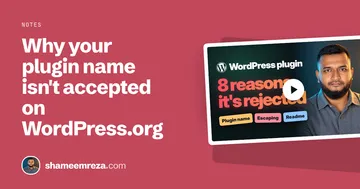
The name is the first thing a reviewer looks at, and almost every review I do has something to say about it in the first reply. I wrote the full rules, with a table of name shapes, in why your plugin name isn’t accepted on WordPress.org. This is the short version. Every plugin name in this post is made up.
Your own word goes first. Then what the plugin does. Then “for” and the trademark, if you need one.
“Parcel Pilot: Shipping Rates for WooCommerce” works. “WooCommerce Super Shipping” doesn’t, because someone else’s brand as the first word makes it look like they made it. Guideline 17 doesn’t allow a slug to begin with another product’s term.
“WP” and “Woo” as shorthand at the start get flagged too. Woo is the company. WooCommerce is the product and the trademark, so “Woo Super Shipping” reads like the company built it.
The FAQ says new plugins can’t start their permalink with woo. A real, established company that already has “WP” in its name is looked at case by case. A new account submitting “WP Super Shipping” will get a note.
Changing the spelling doesn’t help either. The FAQ names “WuuCommerce” as the kind of clever rename that only makes reviewers worry.
A generic first word is where most people get caught. Names like “Simple Invoices”, “Easy Booking Form”, “Smart Product Filter”, “Flexible Rate Table” and “Advanced Stock Notes” all get flagged for that first word.
Superlatives like best, ultimate, number one and perfect get the same note. Anyone can call their plugin simple or easy, so those words can’t tell people who made it. A name that is only a description, like “Event Calendar”, has the same problem.
You’ve seen plugins named like that in the directory, I know. The directory has plugins going back many years, and what got approved back then isn’t the bar today. Copy an old plugin’s naming style and you’re copying something a reviewer will ask you to change.
I test a name with three questions:
- Could another developer use this exact name for a similar plugin? If yes, it isn’t distinct.
- If you take out the generic words (simple, easy, flexible, plugin, WordPress, WooCommerce), is anything left? If nothing is left, there’s no name there.
- If someone searches the name, do they find your plugin and only yours?
The fix is a word only you would use at the start: your company name, a made-up word, or two words joined, like Parcel Pilot or Bookfinch. “Simple Invoices” becomes “Tally Invoices”, and it still says invoices.
Yoast SEO is the famous example. It used to be called WordPress SEO by Yoast, and today its own name comes first. Its address in the directory is still wordpress-seo, because a slug never changes.
Leave “free” out of the name, since every plugin in the directory is free. Leave out “plugin” and “WordPress” too. The FAQ doesn’t allow either one in a slug except in extreme situations.
Is your category already full?
People usually find this out after they’ve built the whole plugin. The FAQ says WordPress.org generally doesn’t accept plugins that do what hundreds of plugins in the directory already do, unless the new one is clearly different. Maintenance mode is the category I see this happen with most.
Before you spend weeks building, search the directory for your idea. If hundreds of plugins already do it, a new name won’t change that. Build the thing those plugins don’t do.
Can you change the slug later?
You can change the display name later. You can’t change the slug once the plugin is approved. The slug comes from the Plugin Name header in your main plugin file, so if that header still says “My Test Plugin”, that’s your address in the directory.
Set it to the name you want to keep before you submit. If you spot a mistake after submitting, you can update the slug once from the submission page. After approval, it’s locked.
How do you show the brand is yours?
If your plugin uses a brand name, the reviewer needs to see that the brand is really yours, and a free webmail address doesn’t prove much. The FAQ says an official plugin submitted from a Gmail account is likely to be flagged.
Use a WordPress.org account with an email on your plugin’s own domain, and point the Author URI and Plugin URI at that same site. If you’re building for a client, the client owns the account and adds you as a committer.
Reason 2: no sanitizing, escaping, nonce or capability checks
This is the big one. Most plugins I review have at least one security issue, usually more than one. Three habits fix most of them: sanitize what comes in, escape what goes out, and check a nonce and the user’s capability on every action.
This handler and the field after it have all three problems. The title comes straight from the form and goes straight into the database, with no nonce and no capability check:
function ppilot_save_settings() {
    update_option( 'ppilot_title', $_POST['ppilot_title'] );
}
And this prints it back without escaping:
<input type="text" name="ppilot_title" value="<?php echo get_option( 'ppilot_title' ); ?>">Sanitize first. Anything a user can touch, a form field, a URL parameter, a cookie, gets cleaned before you save it.
For plain text, sanitize_text_field() does the job. WordPress adds slashes to $_POST, so take them off with wp_unslash() first. The sanitizing page in the Common APIs Handbook lists the other sanitize functions.
Then escape, at the moment you print. Use esc_html() for text, esc_attr() inside an HTML attribute, and esc_url() for links. The escaping page has the rest.
Then the nonce and the capability check. A nonce proves the request came from your form. A capability check proves this person is allowed to do it. You need both.
The fixed form posts to admin-post.php with a nonce field:
<form method="post" action="<?php echo esc_url( admin_url( 'admin-post.php' ) ); ?>">
    <input type="hidden" name="action" value="ppilot_save_settings">
    <?php wp_nonce_field( 'ppilot_save_settings', 'ppilot_nonce' ); ?>
    <input type="text" name="ppilot_title" value="<?php echo esc_attr( get_option( 'ppilot_title', '' ) ); ?>">
    <?php submit_button(); ?>
</form>
And the fixed handler checks the capability and the nonce before it saves anything:
add_action( 'admin_post_ppilot_save_settings', 'ppilot_save_settings' );

function ppilot_save_settings() {
    if ( ! current_user_can( 'manage_options' ) ) {
        wp_die( esc_html__( 'You are not allowed to change these settings.', 'parcel-pilot' ) );
    }

    check_admin_referer( 'ppilot_save_settings', 'ppilot_nonce' );

    $title = isset( $_POST['ppilot_title'] )
        ? sanitize_text_field( wp_unslash( $_POST['ppilot_title'] ) )
        : '';

    update_option( 'ppilot_title', $title );

    wp_safe_redirect( admin_url( 'options-general.php?page=parcel-pilot' ) );
    exit;
}
check_admin_referer() stops the request if the nonce is missing or wrong, so nothing after it runs.
Skip these, and the problem is bigger than a rejection. Your users’ sites are at risk. The guidelines’ developer expectations say a plugin found with security issues is closed until they’re fixed.
Reason 3: the plugin calls outside services without saying so
Does your plugin talk to an outside service, like an API, an analytics tool or a payment platform? That’s fine. Guideline 6 allows plugins that connect to a service, even a paid one. But you have to tell people, in the readme.
Add a section that says which service you call, what data you send, and when. Then link to that service’s terms of use and privacy policy. For the invented Parcel Pilot, it could look like this:
== External services ==

This plugin connects to the Parcel Pilot rates API to get live shipping rates for the cart.

It sends the destination country, the postcode and the total weight of the cart each time a customer calculates shipping. It sends nothing else.

The service is run by Parcel Pilot: terms of use (https://parcelpilot.example/terms), privacy policy (https://parcelpilot.example/privacy).
Tracking is stricter. Guideline 7 says a plugin can’t contact outside servers without the user’s explicit consent, which usually means an opt-in checkbox.
So never send usage data on activation without the user saying yes first. Make it opt-in, and off by default.
When the service is the reason the plugin exists, like a plugin for your shipping API, the guideline counts setting it up as the user’s consent. The readme section is still required.
I know it feels like extra paperwork. It’s about two minutes of writing, and it saves you a whole review round.
Reason 4: the plugin ships its own jQuery or loads scripts from a CDN
I see this one all the time. The plugin ships its own copy of jQuery, or it loads a script from some CDN.
WordPress already includes jQuery and a long list of other libraries. Guideline 13 says plugins must use those copies, not their own. Add the library as a dependency when you enqueue your script:
add_action( 'admin_enqueue_scripts', 'ppilot_admin_scripts' );

function ppilot_admin_scripts( $hook_suffix ) {
    // Load only on the plugin's own settings screen.
    if ( 'settings_page_parcel-pilot' !== $hook_suffix ) {
        return;
    }

    wp_enqueue_script(
        'ppilot-admin',
        plugins_url( 'assets/js/admin.js', __FILE__ ),
        array( 'jquery' ),
        '1.0.0',
        true
    );
}
Your own scripts and styles live inside your plugin and load with wp_enqueue_script() and wp_enqueue_style(), not from a third-party CDN. Guideline 8 makes one exception: fonts. A script that belongs to the service your plugin connects to is a different case, and it gets documented like reason 3.
Reason 5: features are locked behind a payment (trialware)
If you remember one thing from this post, make it this one.
I get messages about this almost every week. “Can you help us? Our plugin got closed.”
These are companies with real users and real customers, and suddenly their plugin is closed. When I look, it’s almost always the same thing: trialware.
Trialware is a free plugin on WordPress.org with features that are locked until someone pays, or features that stop working after a trial. Guideline 5 says no to both. It comes in four shapes.
The most common one is a whole feature sitting inside the free plugin behind a license check:
function ppilot_export_orders() {
    if ( ! ppilot_has_license() ) {
        return; // Locked until they pay.
    }
    // ...the export code is right here in the free plugin.
}
The code is already on the user’s site. You’re only not letting them use it.
The second is a limit. Ten shipping rates for free users, ten thousand for paid. Same code, with a number that changes when you pay:
$max_rates = ppilot_is_pro() ? 10000 : 10;The third is a trial timer. The feature works for 14 days, then switches itself off:
$installed_at = (int) get_option( 'ppilot_installed_at' );

if ( time() - $installed_at > 14 * DAY_IN_SECONDS && ! ppilot_has_license() ) {
    return; // Switched off after the trial.
}
The fourth is a settings page, or a whole screen, replaced with a big upgrade box. The plugin installs, but you can’t do anything with it.
All four are trialware. If they’re found after approval, the plugin is removed until it’s fixed, and the developer expectations say repeat violations can remove all of the author’s plugins and ban the developer from hosting plugins on WordPress.org. Fixing this when you already have thousands of users is a lot harder than doing it right from day one.
Can you still sell a pro version?
Yes. Selling a pro version is fine. It has to be built the right way:
- Everything in the free plugin works. No locked code, no timers, no made-up limits.
- Your paid features live in a separate add-on plugin, which you sell and deliver from your own site, not from WordPress.org. Guideline 5 recommends this.
- The free plugin gives the add-on a place to plug in, with hooks and filters.
The add-on has to bring its own code. A filter that only raises the free plugin’s limit from 10 to 10,000 is the same paywall in a second plugin. Here the free plugin exports to CSV and lets other plugins add formats, and the pro add-on adds an Excel export with code that lives only in the add-on:
// Free plugin: CSV export works fully, and other plugins can add formats.
$formats = apply_filters(
    'ppilot_export_formats',
    array( 'csv' => 'ppilot_export_csv' )
);

// Pro add-on (a separate plugin, sold on your own site).
add_filter( 'ppilot_export_formats', 'ppilot_pro_add_xlsx_format' );

function ppilot_pro_add_xlsx_format( $formats ) {
    $formats['xlsx'] = 'ppilot_pro_export_xlsx'; // Defined in the add-on.
    return $formats;
}
The free plugin doesn’t know or care about licenses. That stays in the add-on.
You can mention your pro version, too. A small note next to a feature that already works is fine, and so is a comparison table on your plugin’s own settings page. Guideline 11 asks for upgrade prompts to stay limited, in context or on the plugin’s settings page, and any notice shown across the whole admin has to be dismissible.
What if your plugin connects to a paid service?
That’s allowed. If the plugin connects to a real service that does the actual work on your servers, the service can charge for usage. Guideline 6 covers it.
A server that only checks a license key, while all the real code is inside the plugin, is still trialware. Guideline 6 lists that setup as not permitted.
If you’re not sure whether your setup crosses the line, ask before you submit. The guidelines’ developer expectations ask you to email the Plugins Team when you’re unsure. It’s much easier to change the plan than to change a live plugin.
Reason 6: functions and classes have generic names
A function called get_settings() or a class called Helper will collide with another plugin sooner or later. With get_settings() it’s sooner. WordPress core itself still has a deprecated get_settings() in wp-includes/deprecated.php (it’s there in WordPress 7.1.4), so a plugin that declares its own crashes the site with a fatal error as soon as it loads.
Imagine a store owner installs your plugin and the whole site goes white. That’s a bad first impression, and it’s easy to avoid.
Give everything global a unique prefix based on your plugin name. The Plugin Handbook’s prefix everything section asks for at least 4 letters and recommends 5.
It lists what needs one: functions and classes (unless namespaced), namespaces, global variables, options and transients. I’d add constants and your own hook names to that list. A PHP namespace works for functions and classes too.
// Collides sooner or later.
function get_settings() {}
class Helper {}

// Prefixed.
function ppilot_get_settings() {}
class PPilot_Helper {}
Don’t borrow someone else’s prefix. The same section rules out wp_, __ and _, and for a WooCommerce extension, woo and woocommerce.
Reason 7: PHP files can be opened directly
Anyone who knows the path can open a PHP file in your plugin straight from a browser, like /wp-content/plugins/parcel-pilot/includes/admin.php. That can leak errors, or run code out of context.
The fix is one check at the top of the file. If ABSPATH isn’t defined, WordPress didn’t load the file, so stop:
if ( ! defined( 'ABSPATH' ) ) {
    exit;
}
The Plugin Handbook’s avoiding direct file access section says it matters for files that run code outside of a class or function definition, like the main plugin file or a template that prints output. A file that only defines a class doesn’t do anything when opened, but adding the check costs you one line.
Reason 8: the readme doesn’t match the plugin
Reviewers read your readme, and so does the directory.
Check two numbers: the Stable tag in readme.txt and the Version in your main plugin file’s header. They need to match.
The directory finds your release through Stable tag, then takes the version number from the plugin file. If the readme says 1.0.2 and the plugin file still says 1.0.1, the directory lists 1.0.1. The readme handbook page explains how it’s read, and it says Stable tag: trunk isn’t allowed for new plugins.
=== Parcel Pilot: Shipping Rates for WooCommerce ===
Contributors: yourusername
Tags: shipping, shipping rates, woocommerce
Requires at least: 6.8
Tested up to: 7.1
Stable tag: 1.0.2
License: GPLv2 or later/**
* Plugin Name: Parcel Pilot: Shipping Rates for WooCommerce
* Version: 1.0.2
* Text Domain: parcel-pilot
*/Use five tags at most. Guideline 12 treats more than five as spam, and the FAQ says only the first five are used anyway. Don’t add competitors’ plugin names as tags, and don’t stuff the readme with keywords.
Write it for people. If a store owner reads it and knows what your plugin does in ten seconds, you’re good.
What to check before you submit
Install the free Plugin Check plugin on a test site and run it on your plugin. It catches a lot of these issues automatically. Turn on WP_DEBUG while you test, too. The FAQ lists not testing with WP_DEBUG among the things reviewers see most.
For the code itself, I run PHPCS with the WordPress Coding Standards. Its security sniffs flag missing escaping, sanitizing and nonce checks before a reviewer does. PHPStan for WordPress and WooCommerce catches the type bugs PHPCS can’t see.
Then go through this list:
- The name starts with your own distinctive word, with no “WP” or “Woo” shorthand and no generic first word like simple or flexible.
- The Plugin Name header is set to the slug you want to keep.
- The plugin isn’t in a category that’s already full, like maintenance mode.
- Inputs are sanitized, outputs are escaped, and every action checks a nonce and a capability.
- Outside services are documented in the readme, and nothing tracks users without an opt-in.
- There’s no bundled jQuery and no third-party CDN scripts.
- No feature is locked, timed or capped, and paid features live in a separate add-on.
- Functions, classes, options and hooks carry a unique prefix.
- Files that run code check for
ABSPATH. - The readme’s stable tag matches the plugin version, with five tags at most.
Getting a rejection feels personal. I get it. But it’s not a no forever. Most plugins I see sent back get approved after one round of fixes.
Did this answer your question?
If not, tell me what you were looking for. Your question might be my next post.

Shameem Reza Happiness Engineer at Automattic
I fix WooCommerce problems for a living and review plugins for WordPress.org. Every fix here is tested on a clean site first.
No comments yet. Ask the first question.