

I ran into an interesting case while helping a customer who was mixing Product Bundles with Min/Max Quantities. Everything looked simple at first. The bundle had six different items. Each item should stay at quantity one. The standalone products had a group of 6 rule set in Min/Max Quantities.
That combination should work fine. But it didn’t.
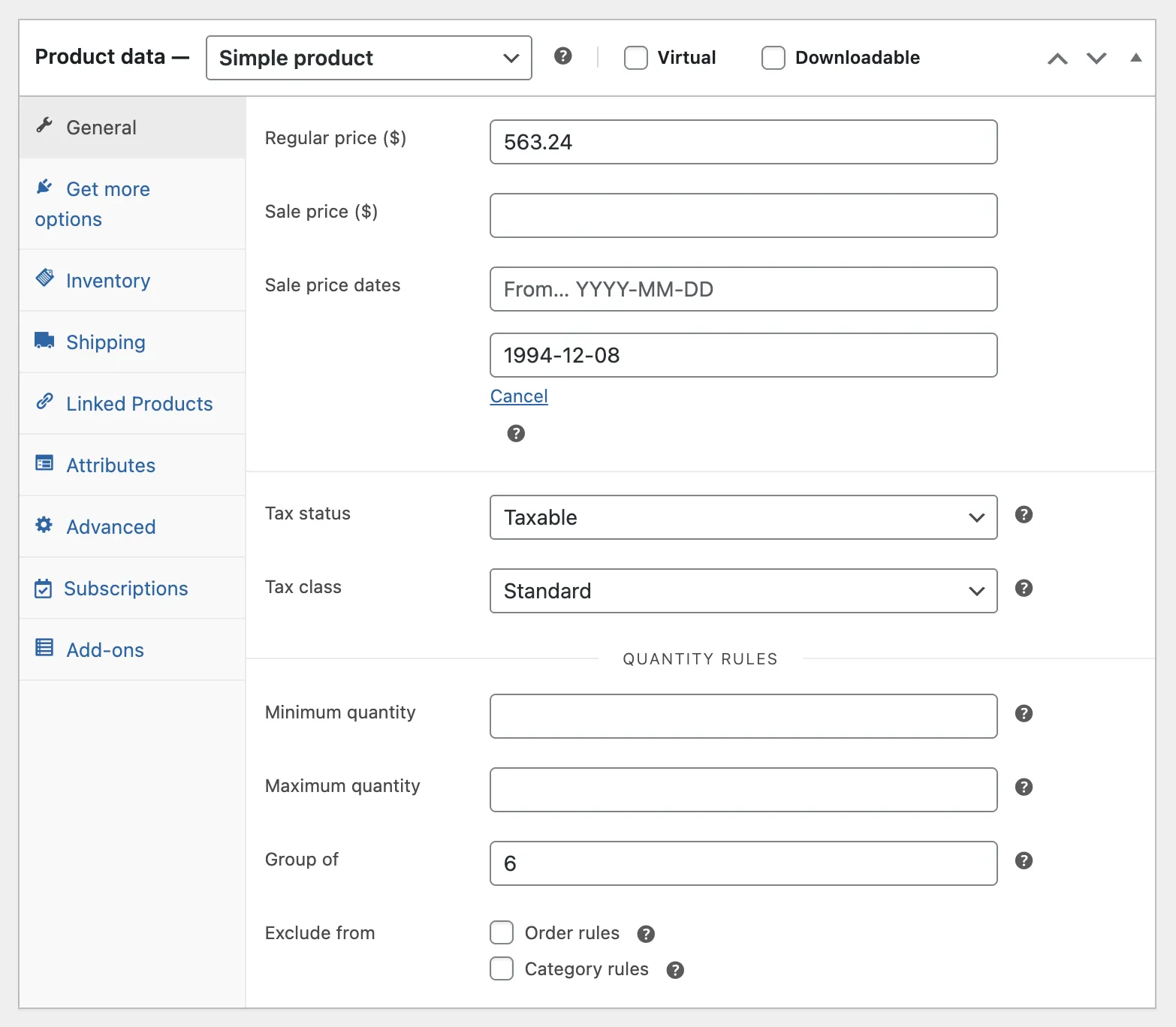
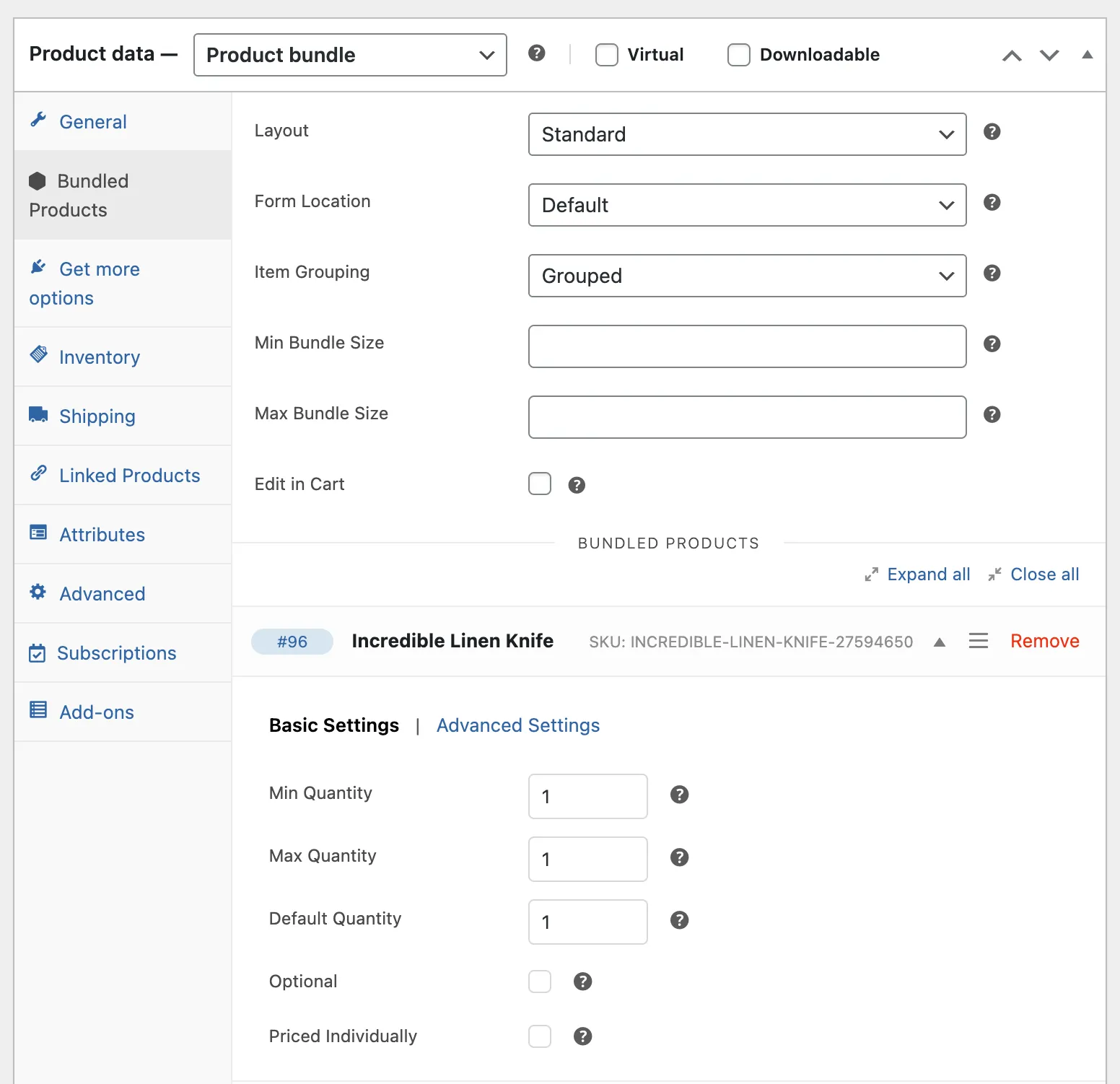
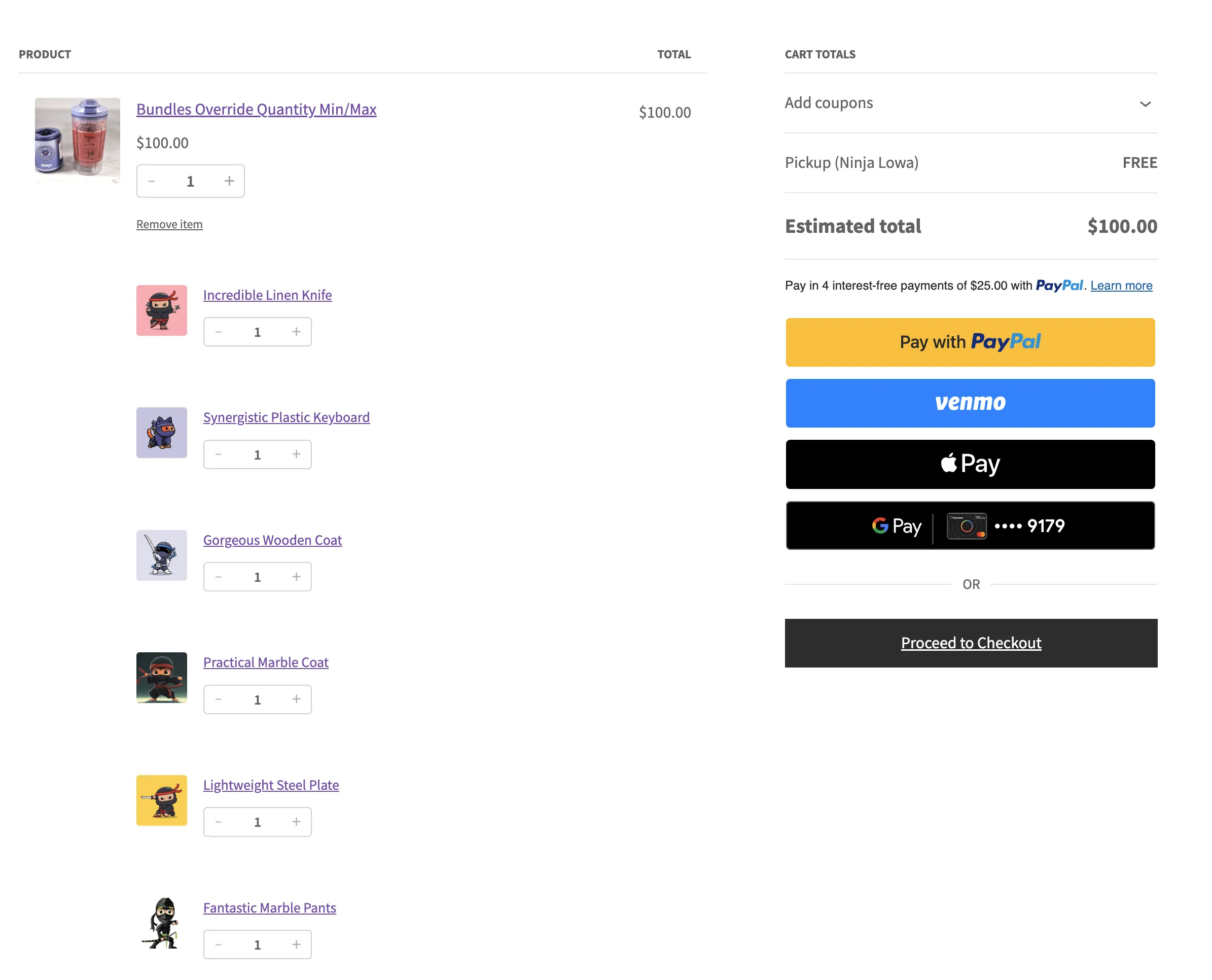
The rule from Min/Max Quantities was bleeding into the bundle. Instead of letting each bundled item stay at quantity one, the plugin forced each of them to follow the group of 6 rule. The result was a huge jump in quantity and a bundle that could not be added to the cart at all.
So I started digging.
I looked at the Product Bundles compatibility file first. The filters were there. They allowed us to change the group-of logic for bundled items. I tried the basic filter, and it fixed the product page, but the cart still rejected the bundle.
So I kept going.
The next step was scanning through Min/Max Quantities. Their runtime checks were also running on the cart. They didn’t care that the product came from a bundle. They only looked at the product’s own rules. That explained why the bundle failed during add-to-cart.
This is where I thought I had the fix. I added a second filter. It improved things, but not enough. The block checkout still forced the bundle items into the group-of rule. The Store API was doing its own validation behind the scenes.
So I started a deeper pass.
In the Store API I found three more filters: minimum, maximum, and step values. These are the values that pull the rug during checkout. They override the numbers set in the bundle and push the “Group of” rule again.
At that point, I knew what I needed: a full patch that disables these checks only for bundled items, without touching anything else on the store.
After testing several rounds, this is the final snippet that fixes the product page, admin screen, classic cart, block checkout, and Store API. It works across the full flow.
/**
 * Disable Min/Max "Group of" quantity rules for bundled products.
 * This allows bundled items to have a quantity of 1 even when the
 * standalone product has a "Group of 6" rule.
 *
 * @author Shameem Reza
 */

// Product Bundles side - disable Group of for bundled item calculations.
add_filter( 'woocommerce_bundled_item_group_of_quantity', '__return_zero', 999 );

// Min/Max Quantities cart validation - disable Group of for bundled cart items.
add_filter( 'wc_min_max_quantity_group_of_quantity', 'wcsubs_disable_group_of_for_bundled_items', 999, 4 );

/**
 * Disable Group of quantity for bundled cart items.
 *
 * @param int    $group_of_quantity The Group of quantity.
 * @param int    $product_id        The product ID.
 * @param string $cart_item_key     The cart item key.
 * @param array  $cart_item         The cart item data.
 * @return int
 */
function wcsubs_disable_group_of_for_bundled_items( $group_of_quantity, $product_id, $cart_item_key, $cart_item ) {
	if ( is_array( $cart_item ) && function_exists( 'wc_pb_is_bundled_cart_item' ) && wc_pb_is_bundled_cart_item( $cart_item ) ) {
		return 0;
	}
	return $group_of_quantity;
}

// Store API level - override quantity limits for bundled cart items.
add_filter( 'woocommerce_store_api_product_quantity_minimum', 'wcsubs_fix_bundled_item_store_api_min', 999, 3 );
add_filter( 'woocommerce_store_api_product_quantity_maximum', 'wcsubs_fix_bundled_item_store_api_max', 999, 3 );
add_filter( 'woocommerce_store_api_product_quantity_multiple_of', 'wcsubs_fix_bundled_item_store_api_step', 999, 3 );

/**
 * Fix minimum quantity for bundled items in Store API.
 *
 * @param int        $value     The minimum quantity.
 * @param WC_Product $product   The product object.
 * @param array|null $cart_item The cart item data.
 * @return int
 */
function wcsubs_fix_bundled_item_store_api_min( $value, $product, $cart_item ) {
	if ( wcsubs_is_bundled_cart_item( $cart_item ) ) {
		return 1;
	}
	return $value;
}

/**
 * Fix maximum quantity for bundled items in Store API.
 *
 * @param int        $value     The maximum quantity.
 * @param WC_Product $product   The product object.
 * @param array|null $cart_item The cart item data.
 * @return int
 */
function wcsubs_fix_bundled_item_store_api_max( $value, $product, $cart_item ) {
	if ( wcsubs_is_bundled_cart_item( $cart_item ) ) {
		return 9999;
	}
	return $value;
}

/**
 * Fix step/multiple_of quantity for bundled items in Store API.
 *
 * @param int        $value     The step quantity.
 * @param WC_Product $product   The product object.
 * @param array|null $cart_item The cart item data.
 * @return int
 */
function wcsubs_fix_bundled_item_store_api_step( $value, $product, $cart_item ) {
	if ( wcsubs_is_bundled_cart_item( $cart_item ) ) {
		return 1;
	}
	return $value;
}

/**
 * Helper function to check if cart item is a bundled item.
 *
 * @param array|null $cart_item The cart item data.
 * @return bool
 */
function wcsubs_is_bundled_cart_item( $cart_item ) {
	if ( ! is_array( $cart_item ) ) {
		return false;
	}

	if ( function_exists( 'wc_pb_is_bundled_cart_item' ) && wc_pb_is_bundled_cart_item( $cart_item ) ) {
		return true;
	}

	// Fallback check.
	if ( isset( $cart_item['bundled_by'] ) || isset( $cart_item['bundled_item_id'] ) ) {
		return true;
	}

	return false;
}
The structure is simple:
- Bundled items ignore the “Group of” rule.
- Standalone products keep it.
- Nothing else is changed.
After adding the snippet, go back to the bundle edit screen. Set each bundled item to quantity one, Save, and Reload. The warnings will disappear.
The bundle behaves as it should. The cart accepts it. Checkout accepts it. The rule applies only where it belongs.
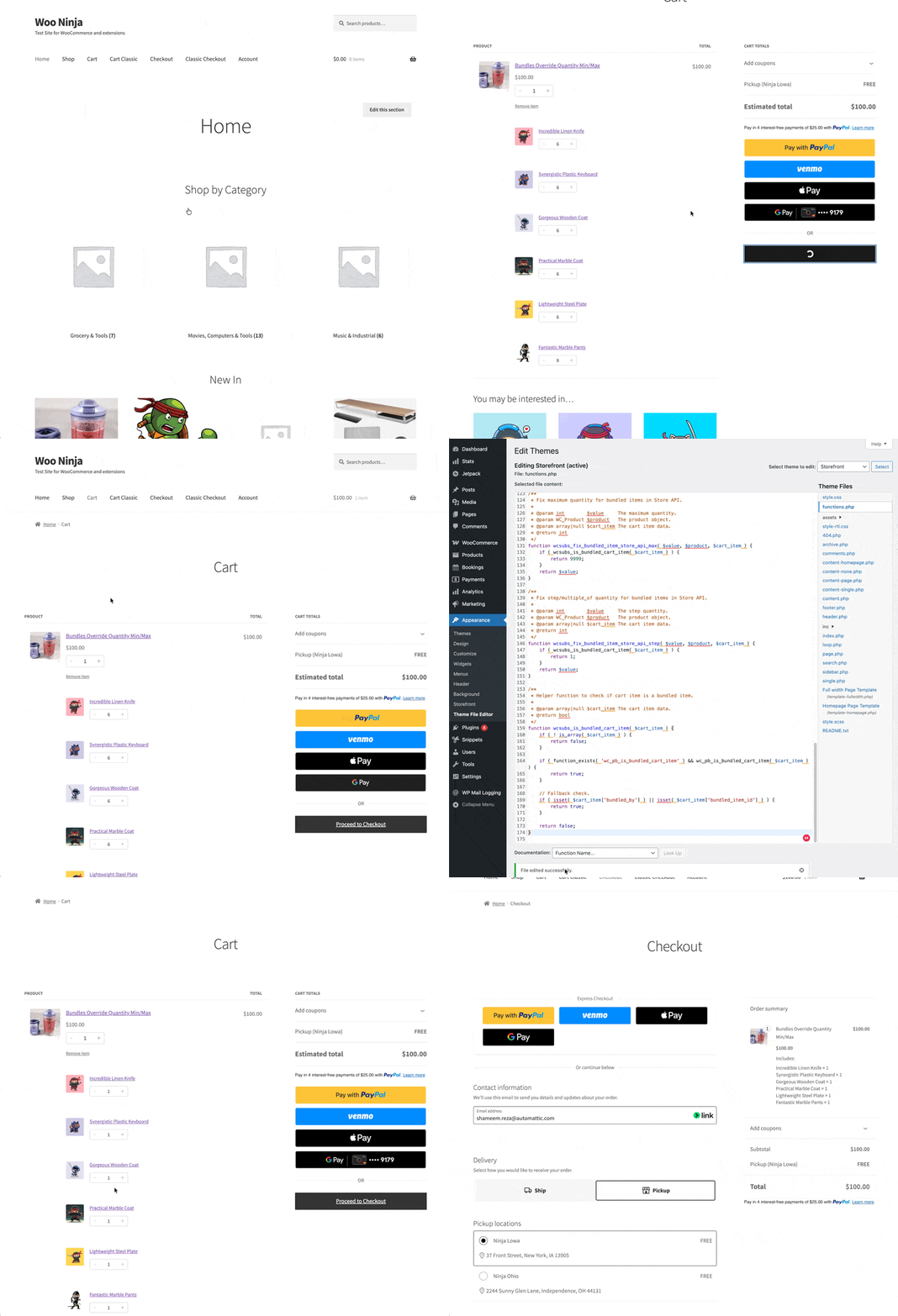
This took a few passes through both plugins’ code, but it was worth it. There’s no UI switch for this, so filters are the only way through. The good news is both plugins expose the needed hooks, so everything stays update-safe and future-proof.
If you want to try this in your own store, add the snippet, set the quantities again, and test the cart flow. If your setup has extra rules or custom logic layered on top, feel free to reach out. I’m happy to take a look and see what’s possible.

Shameem Reza Happiness Engineer at Automattic
I fix WooCommerce problems for a living and review plugins for WordPress.org. Every fix here is tested on a clean site first.



No comments yet. Ask the first question.