
On this page
A support request came in from a store owner who kept missing orders from repeat B2B customers because the orders list showed the buyer’s personal name, not the company they were ordering for. “Alex Martin” told them nothing. “Contoso Engineering” told them exactly who the order belonged to.
WooCommerce exposes a filter for this, so it’s a one-snippet fix. No custom columns, no plugin, and the billing company field is already on every order, you just have to tell WooCommerce to surface it.
The default behavior
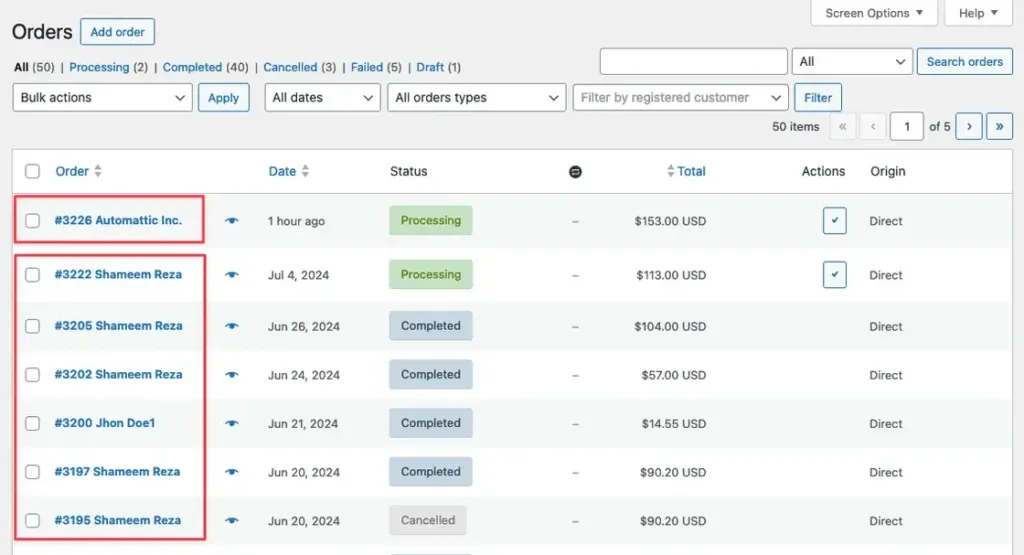
Out of the box, the orders list shows the billing first and last name in the buyer column. That’s fine for most stores, but if most of your orders come from businesses, it buries the information you actually care about.
The filter
woocommerce_admin_order_buyer_name was added specifically so you can customise what appears in that column. The snippet below returns the billing company name:
add_filter( 'woocommerce_admin_order_buyer_name', function ( string $buyer, WC_Order $order ): string {
    return trim( $order->get_billing_company() );
}, 10, 2 );
That works for a pure B2B store. Every order has a company name, so every row is correct.
Add a fallback for mixed B2B and B2C orders
If you sell to businesses and individuals from the same store, the snippet above will leave rows for B2C customers blank, because those orders don’t have a billing company. Add a fallback to the original buyer name:
add_filter( 'woocommerce_admin_order_buyer_name', function ( string $buyer, WC_Order $order ): string {
    $company = trim( $order->get_billing_company() );

    return $company !== '' ? $company : $buyer;
}, 10, 2 );
Now the column shows the company name when it’s filled in and the customer name otherwise.
Where to put the snippet
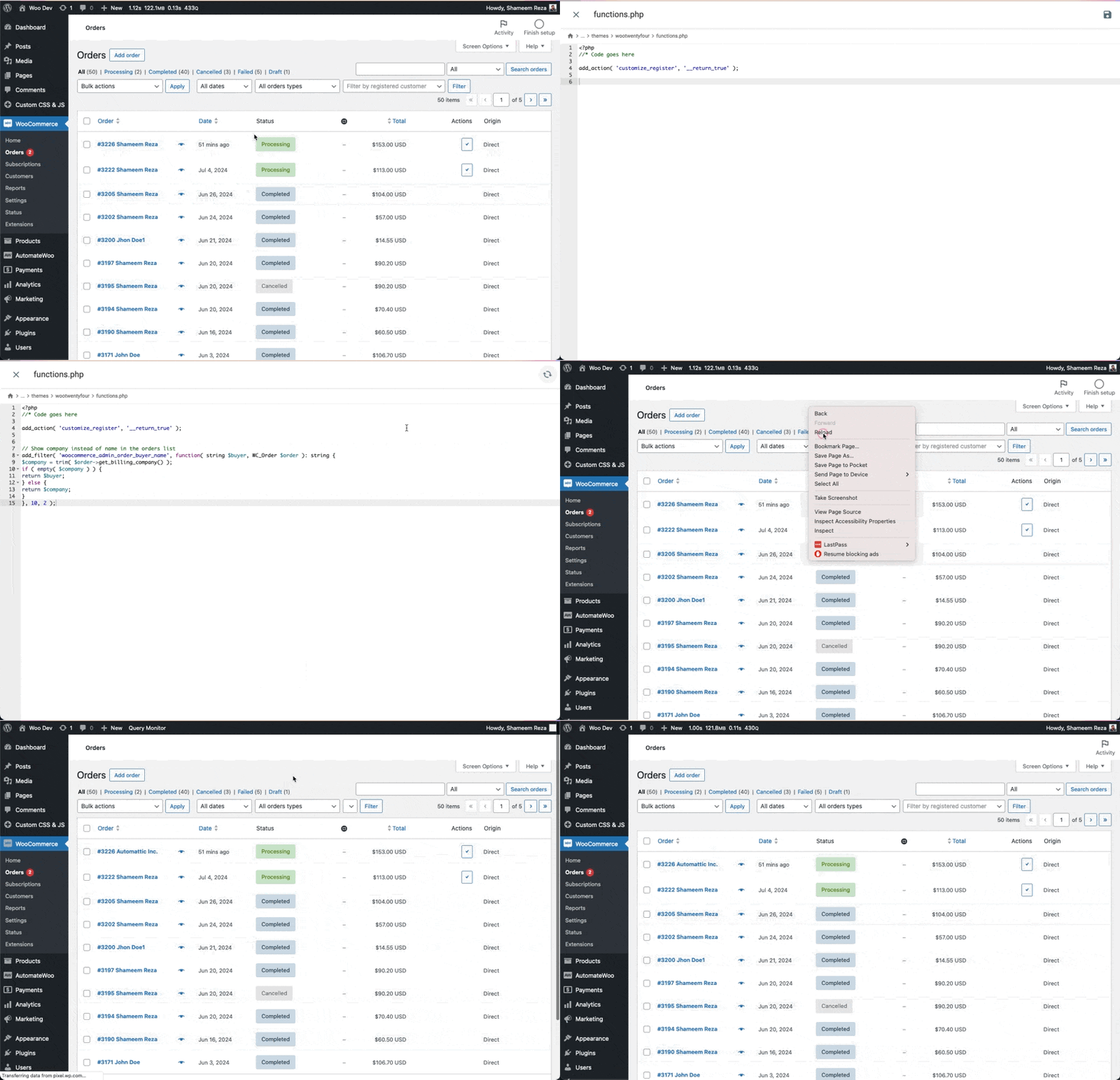
Drop it into your child theme’s functions.php or the Code Snippets plugin. The column pulls straight from the billing address, so you get company names on the orders screen without any extra meta, a custom column, or a separate plugin.

Shameem Reza Happiness Engineer at Automattic
I fix WooCommerce problems for a living and review plugins for WordPress.org. Every fix here is tested on a clean site first.


No comments yet. Ask the first question.