
On this page
- What the bar measures, and what runs after it
- How the browser handles a failed step
- Where the errors actually go
- How I tested
- Test 1: a 64 MB memory limit during the database step
- Test 2: a storage folder PHP can’t write to
- Test 3: a 504 in front of the database step
- Other things I found in the code
- What I check now when an import sits at 100%
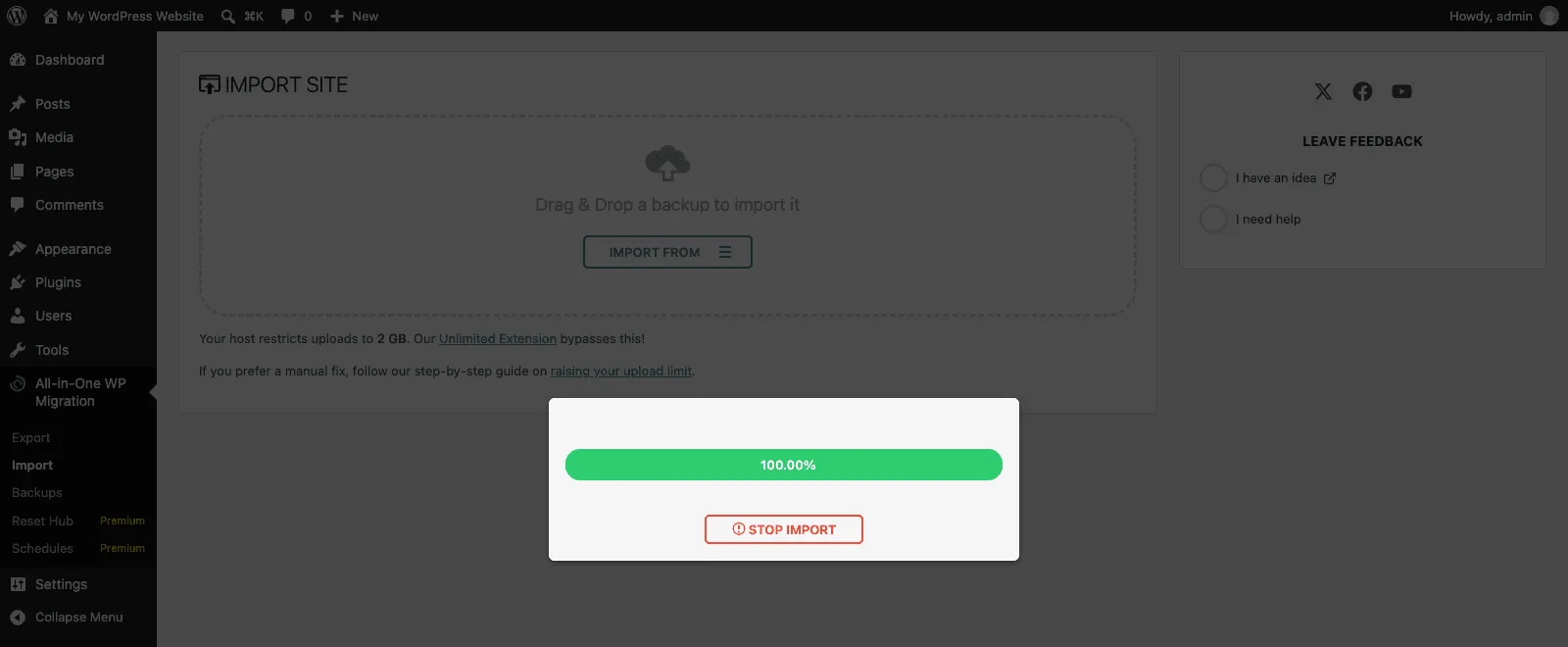
The green bar says 100.00%. The Stop Import button is still there. Nothing else moves, and the modal keeps telling you not to close the browser window.
That 100% isn’t the import. In All-in-One WP Migration 7.113, the bar is fed by the browser’s upload progress event in lib/view/assets/javascript/import.min.js. It reaches 100% the moment your browser has sent the last byte of the .wpress file. The server hasn’t answered yet, and the restore itself hasn’t started.
So I read the import code from start to finish, then broke imports on purpose on throwaway WordPress Playground sites to see what each failure looks like on screen. Three of them below, with the fix I confirmed for each.
What the bar measures, and what runs after it
The free uploader sends the whole backup as one upload_file field to admin-ajax.php?action=ai1wm_import&ai1wm_manual_import=1. The bar’s percent comes from xhr.upload progress, so it tracks bytes leaving your computer. When it hits 100%, PHP still has to take the file from its temp folder and copy it into the plugin’s storage folder. Ai1wm_Import_Upload::execute() does that with ai1wm_copy(), 4 KB at a time, and only then answers.
ServMask’s own article, What to Do When a File Upload Gets Stuck at 100% During Import, matches the code. It asks you to wait 30 to 60 seconds after 100% and to raise max_execution_time above the upload time, because the server is still moving the file.
When the upload request answers, the bar is replaced by text: “Preparing to import…”. If you still see the bar, the upload request is still open. Once you see text, the upload is done and you’re somewhere in the chain below.
That chain is a list of filters on the ai1wm_import hook, registered in lib/controller/class-ai1wm-main-controller.php:
add_filter( 'ai1wm_import', 'Ai1wm_Import_Upload::execute', 5 );
add_filter( 'ai1wm_import', 'Ai1wm_Import_Compatibility::execute', 10 );
add_filter( 'ai1wm_import', 'Ai1wm_Import_Validate::execute', 50 );
add_filter( 'ai1wm_import', 'Ai1wm_Import_Validate_Crc::execute', 55 );
add_filter( 'ai1wm_import', 'Ai1wm_Import_Check_Compression::execute', 70 );
add_filter( 'ai1wm_import', 'Ai1wm_Import_Check_Encryption::execute', 75 );
add_filter( 'ai1wm_import', 'Ai1wm_Import_Confirm::execute', 100 );
add_filter( 'ai1wm_import', 'Ai1wm_Import_Blogs::execute', 150 );
add_filter( 'ai1wm_import', 'Ai1wm_Import_Permalinks::execute', 170 );
add_filter( 'ai1wm_import', 'Ai1wm_Import_Enumerate::execute', 200 );
add_filter( 'ai1wm_import', 'Ai1wm_Import_Content::execute', 250 );
add_filter( 'ai1wm_import', 'Ai1wm_Import_Mu_Plugins::execute', 270 );
add_filter( 'ai1wm_import', 'Ai1wm_Import_Database_File::execute', 295 );
add_filter( 'ai1wm_import', 'Ai1wm_Import_Database::execute', 300 );
add_filter( 'ai1wm_import', 'Ai1wm_Import_Users::execute', 310 );
add_filter( 'ai1wm_import', 'Ai1wm_Import_Options::execute', 330 );
add_filter( 'ai1wm_import', 'Ai1wm_Import_Done::execute', 350 );
add_filter( 'ai1wm_import', 'Ai1wm_Import_Clean::execute', 400 );
Each priority is its own request. Ai1wm_Import_Controller::import() runs one step, returns the params with the next priority as JSON, and the browser posts them straight back. Long steps stop after about 10 seconds (the ai1wm_completed_timeout filter, default 10) and ask for another round with an offset.
There’s a second kind of 100%. The files step prints “Restoring N files… 100% complete”, and the next requests are the mu-plugins step, then the database. The database step prints “Restoring database… N% complete”, where N is how far it has read into database.sql. A frozen “100% complete” usually means the step after it is the one that broke.
How the browser handles a failed step
This is the part that makes a broken import look like a slow one. In import.min.js, the first requests (start, confirm, blogs) give up after five tries and show an error. Every request after that goes through run(), which has no limit:
s.prototype.run = function (t, e) {
	const o = this;
	e = e || 0;
	this.isImportStopped() || i.ajax({ url: ai1wm_import.ajax.url, type: 'POST', dataType: 'json', data: t, dataFilter: function (t) { return Ai1wm.Util.json(t); } })
		.done(function (t) { t && o.run(t); })
		.fail(function (a) {
			const i = 1e3 * e;
			// shows an error only if the response body has a JSON "errors" array
			e++, setTimeout(o.run.bind(o, t, e), i);
		});
};
I shortened the error branch. What matters: a failed step is sent again with the same params, and the wait grows by one second each time. An HTML error page, a 500, a 504 or a 403 from a firewall has no JSON errors in it, so you never see a message. And an empty 200 response ends the chain with no retry and no error at all.
Meanwhile, getStatus() asks admin-ajax.php?action=ai1wm_status every 3 seconds and shows whatever is saved in the ai1wm_status option. It keeps doing that after a failure, so the modal just keeps showing the last message that was saved.
Where the errors actually go
The plugin has its own log. Ai1wm_Handler writes PHP errors to wp-content/plugins/all-in-one-wp-migration/storage/error-log-<storage>.log, where <storage> is the random 12-character job ID the browser picked. The modal links to it with a “View Error Log” button, but only on some error screens, and none of my stuck runs reached one.
In my memory test, that log had a timestamp and no message. The useful line was in WordPress’s own debug log. Add this to wp-config.php above the “stop editing” line:
define( 'WP_DEBUG', true );
define( 'WP_DEBUG_LOG', true );
define( 'WP_DEBUG_DISPLAY', false );
Then the fatal error lands in wp-content/debug.log. The other place to look is the Network tab in your browser’s DevTools. Filter by ai1wm_import and check the status and response of the last request. Those two told me more than the modal did in every test.
How I tested
I used the WordPress Playground CLI on my Mac, never a real site. The source site had 300 posts plus one landing page with an 8.5 MB _builder_data meta value, the kind of row page builders leave behind. Its export was a 29 MB .wpress with a 12 MB database.sql inside.
The destination was a fresh WordPress 7.1.4 site with All-in-One WP Migration 7.113. I ran each import in headless Chromium through the normal Import page, logged every ai1wm_import request, and screenshotted the modal.
Test 1: a 64 MB memory limit during the database step
I set PHP’s memory_limit to 64M on the destination, the way a host’s php.ini would. The upload hit 100% in under a second, the files restored, and the modal stopped at “Database unpacked.” for as long as I left it.
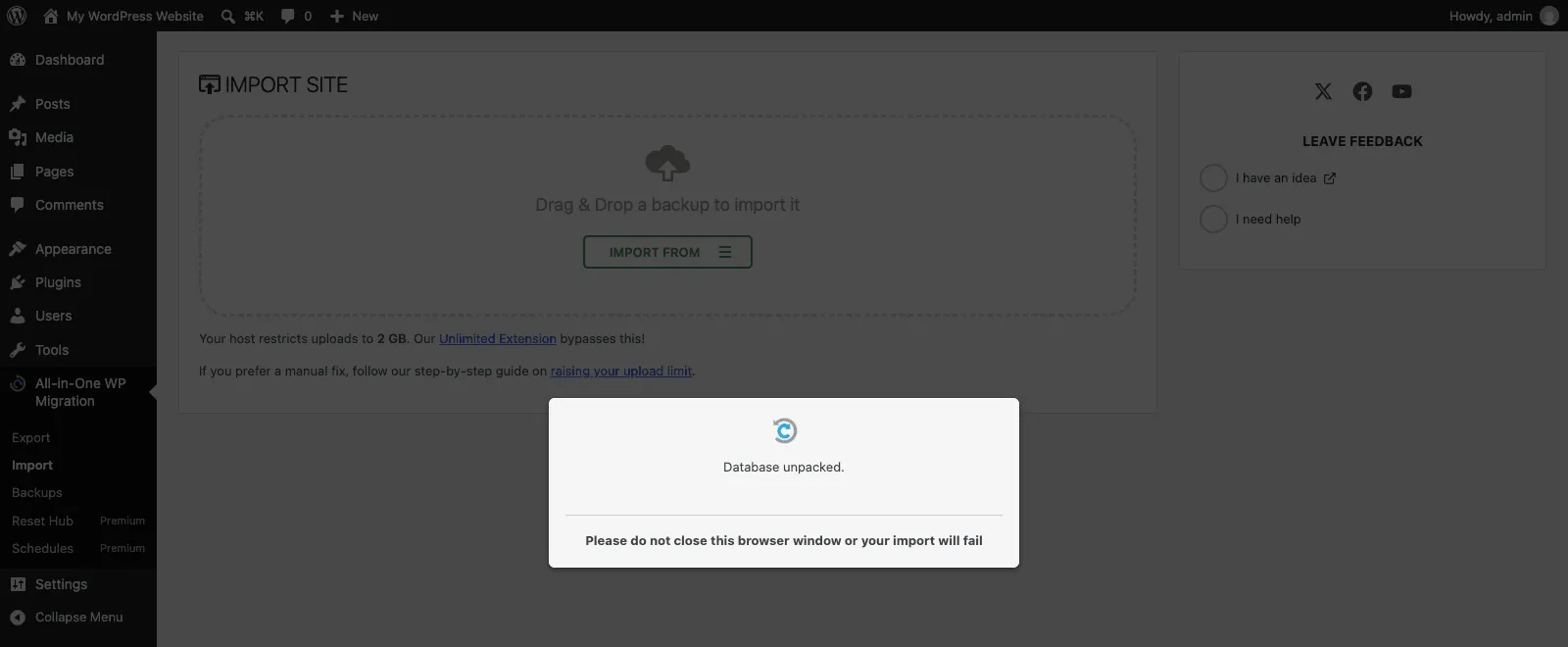
The request log showed what the modal didn’t:
priority 295  200  database.sql extracted
priority 300  500  "There has been a critical error on this website."
priority 300  200  (empty body)
then nothing: no more import requests, status polling every 3 seconds
And wp-content/debug.log had the cause:
PHP Fatal error:  Allowed memory size of 67108864 bytes exhausted (tried to allocate 4984050 bytes)
in .../all-in-one-wp-migration/lib/vendor/servmask/database/class-ai1wm-database.php on line 1109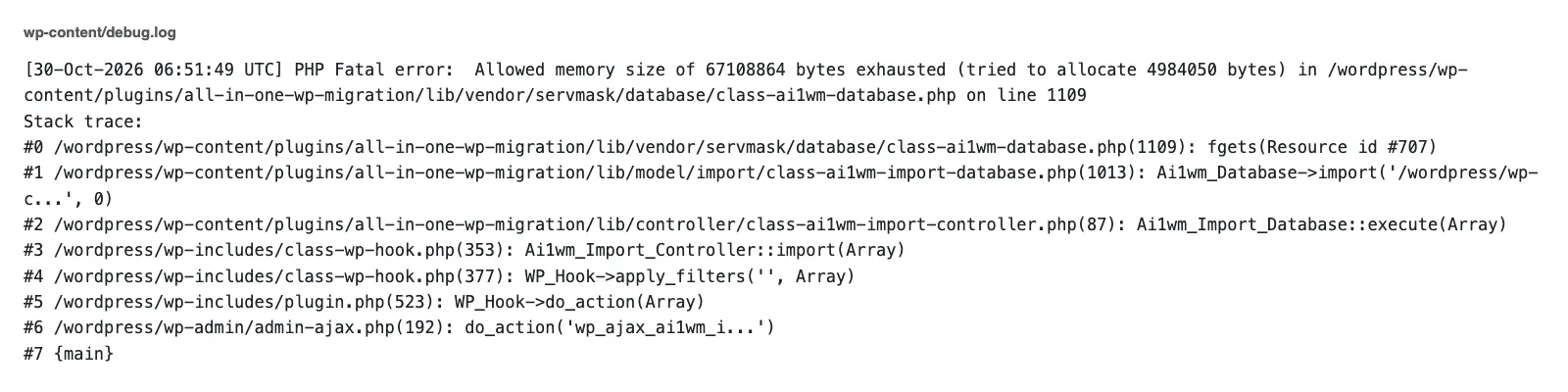
Line 1109 is the fgets() in Ai1wm_Database::import() that reads database.sql one line at a time. The export writes one INSERT per row, so my 8.5 MB meta value became a single 10 MB line once it was escaped. PHP has to hold that whole line in memory, on top of WordPress itself, before it can run it.
Why did the retry come back empty? By the time PHP crashed, the database step had already dropped and recreated wp_options from the backup. The browser was still sending the old secret key, and the database now held a different one.
When ai1wm_verify_secret_key() fails, Ai1wm_Import_Controller::import() exits with no output. So the chain stopped for good.
The site was left half-restored. wp_options already held the rows from the backup, wp_postmeta was empty, and wp_posts still had the destination’s old posts. If this happens to you, don’t trust the site until a full import finishes.
Which memory setting fixed it
The import requests go to wp-admin/admin-ajax.php, and in WordPress 7.1.4 that file never calls wp_raise_memory_limit(). Only wp-admin/admin.php does. So the higher WP_MAX_MEMORY_LIMIT that admin screens get doesn’t apply here. I tried define( 'WP_MAX_MEMORY_LIMIT', '512M' ); with the same 64M limit and got the same fatal error on the same line.
What worked was WP_MEMORY_LIMIT, which WordPress applies early on every request, ajax included:
define( 'WP_MEMORY_LIMIT', '256M' );With that in wp-config.php and PHP still set to 64M, a fresh import of the same file finished in about 28 seconds. All 302 posts came back, and so did the 8,454,146-byte meta value. If your host locks memory_limit so WordPress can’t raise it, the change has to happen in their panel or php.ini.
When you can’t raise memory at all, find the rows that are too big on the source site before you export:
SELECT post_id, meta_key, LENGTH(meta_value) AS bytes
FROM wp_postmeta
ORDER BY bytes DESC
LIMIT 10;
Run the same idea against wp_options and any plugin log tables. Old page builder revisions and log rows are the usual suspects.
Test 2: a storage folder PHP can’t write to
For the second test I set memory back to normal and made the plugin’s storage folder read-only (chmod 555). This one didn’t hang. The bar reached 100%, and less than a second later the modal said “Upload failed (500): Internal Server Error”.
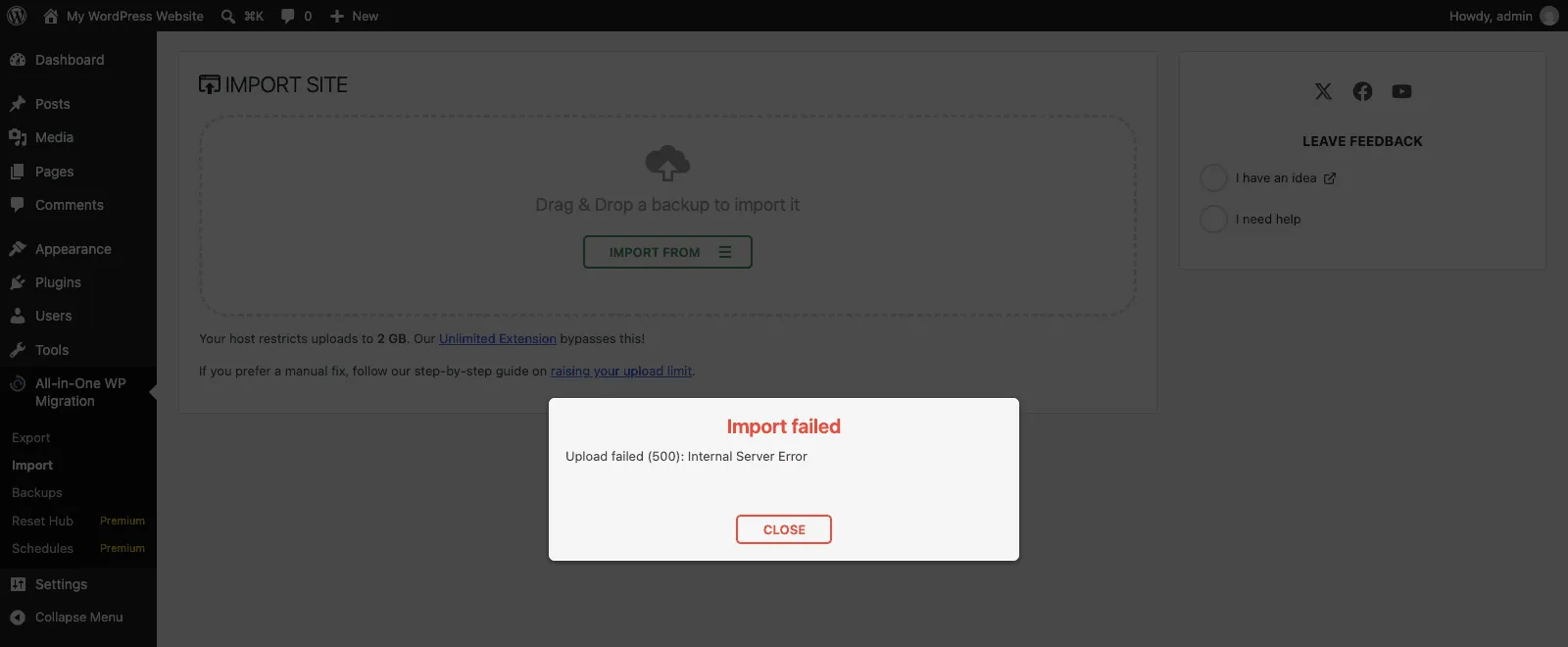
That message tells you nothing, but debug.log did:
PHP Fatal error:  Uncaught Ai1wm_Not_Accessible_Exception: Could not open
/wordpress/wp-content/plugins/all-in-one-wp-migration/storage/error-log-omir9bal434n.log with mode a.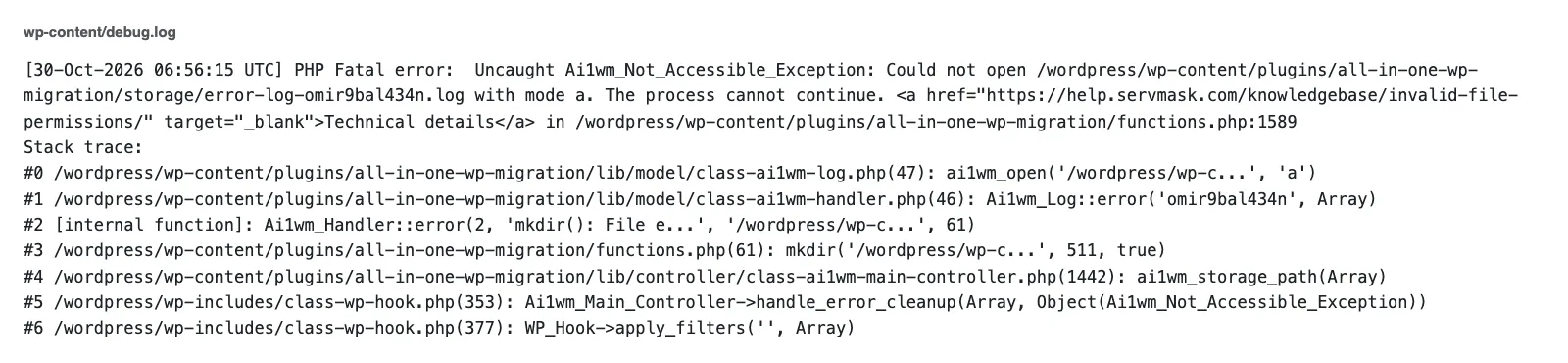
The stack trace explains the chain. ai1wm_storage_path() calls mkdir() for the job folder, which fails. The plugin’s error handler then tries to write that warning to its own error log, inside the same storage folder, which also fails and throws.
Next, the cleanup hook calls mkdir() again and the second exception is never caught. A folder permission problem ends as a 500 with no message, and the plugin can’t even log it.
The fix was making the folder writable again (chmod 755 in my case), and the next import of the same file finished in about 33 seconds. On a real server, two folders need to be writable by the user PHP runs as:
ls -ld wp-content/ai1wm-backups wp-content/plugins/all-in-one-wp-migration/storage
chmod 755 wp-content/ai1wm-backups wp-content/plugins/all-in-one-wp-migration/storage
If ls shows a different owner than your web server user (often www-data or your hosting account), fix the owner with chown or ask your host. ServMask’s invalid file permissions article names the same two folders and suggests creating them by hand with 0777 if the plugin can’t. I’d treat 777 as a quick test, not a setting to keep.
Test 3: a 504 in front of the database step
The third failure is the one people mean when they say the import hangs forever. I simulated a proxy timeout with a small mu-plugin that answers the database step (priority 300) with an nginx-style “504 Gateway Time-out” page. That’s what a reverse proxy sends when PHP takes longer than it will wait, and a firewall rule returning a 403 page looks the same to the browser.
The modal froze on “Database unpacked.” again, but this time the browser kept trying. Seconds since the first 504:
0.0   504     0.4   504     1.8   504     4.3   504     7.7   504
12.1  504    18.2   504    24.6   504    32.0   504    40.5   504
49.9  504    60.4   504    71.8   504
(I removed the mu-plugin here, with the tab still open)
87.0  200  database restored
99.3  "Your site has been imported successfully!"
Thirteen failures, each wait about one second longer than the last, and no message on screen. When I removed the block, the next retry went through and the import finished on its own.
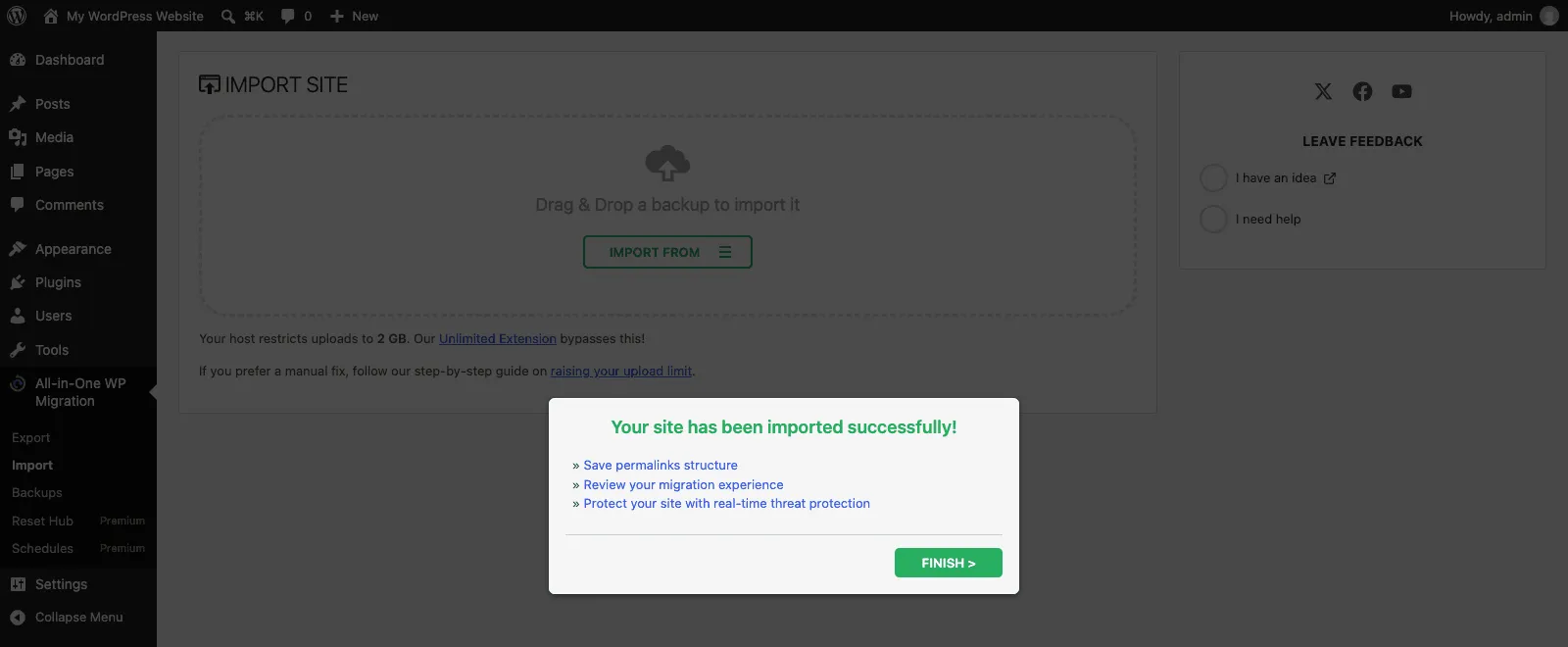
So a frozen modal isn’t always dead. If the request was blocked before PHP ran the step (a firewall, a proxy), fixing the block while the tab is open can let the same import continue. A PHP crash in the middle of the database step, like in test 1, is different: fix the cause, then start a new import.
On a real host, the usual 504 sources are the web server’s own limit (nginx fastcgi_read_timeout, Apache Timeout) and a CDN proxy in front of the site. The plugin calls @set_time_limit( 0 ) in ai1wm_setup_environment(), so PHP’s max_execution_time only matters when the host has disabled set_time_limit.
Each step also tries to stop after 10 seconds, but a single huge row, a CREATE TABLE, or the wp_options inserts are never cut short. Those are the requests that hit a server timeout.
Other things I found in the code
I didn’t reproduce these, but they’re in 7.113 and worth knowing before you retry:
- Disk space is checked in the browser before the upload starts, and you get a warning if the file looks too big. A failed write during the import throws “Out of disk space” from
ai1wm_write(), which the code turns into an error message, not a hang. - In
Ai1wm_Database::import(), a query longer than MySQL’smax_allowed_packetis skipped without an error. The import finishes, but that row is missing. - MySQL
max_queries_per_hourandmax_user_connectionslimits come back as a readable error with a ServMask link. - The plugin’s own
readme.txtsays the same thing for a stuck import: raisemax_execution_timeandmemory_limit.
If the backup is big because of caches, old backups or other folders you don’t need on the new site, exclude them from the export and you get a smaller file with less to go wrong. And when your file never gets to the progress bar because of the 512 MB message, that’s a different limit, and this post on the upload limit covers it.
What I check now when an import sits at 100%
- If the green bar is still showing, wait a minute. PHP is still copying the file from its temp folder.
- Open DevTools, go to the Network tab, filter by
ai1wm_import, and read the status of the last request. - Turn on
WP_DEBUG_LOGand readwp-content/debug.logfor a fatal error. - Make sure
wp-content/ai1wm-backupsand the plugin’sstoragefolder are writable by PHP. - Set
WP_MEMORY_LIMITinwp-config.php, since the import requests ignoreWP_MAX_MEMORY_LIMIT.
The progress bar is the least useful thing on that screen. In every test, the last request in the Network tab told me what broke, so that’s where I look first now.
Did this fix work on your site?
If it didn't, tell me what happened. I re-test reported fixes and update the post.

Shameem Reza Happiness Engineer at Automattic
I fix WooCommerce problems for a living and review plugins for WordPress.org. Every fix here is tested on a clean site first.



No comments yet. Ask the first question.